# Getting Started with TIMERshare

{% hint style="success" %}
TIMERshare is a **free online timer too**l that can be used **without registration**.\
[You can use it anytime from the 'Create Timer' button on the homepage.](https://timer-share.com/)
{% endhint %}

TIMERshare is a free online timer accessible from any device with a web browser. It features a large text display and is designed to be simple yet highly functional, offering multiple timer management, flash alerts, sound notifications, and progress tracking.

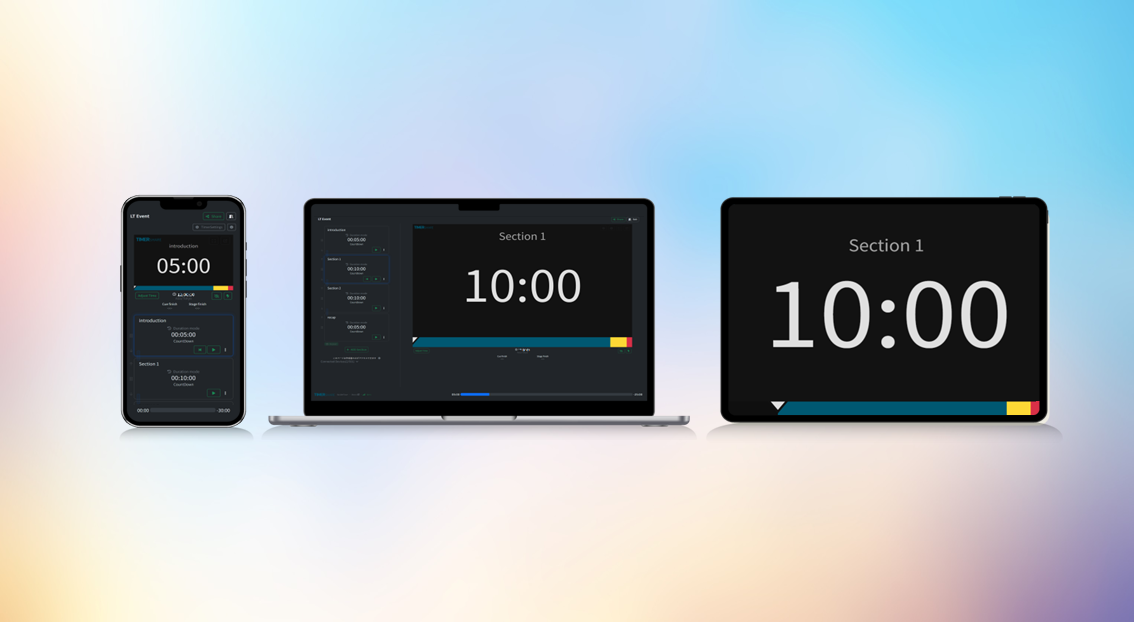
The timers you create can be accessed and shared via **a browser from any internet-connected device** (Desktop/Mobile/TV...).

The timer continues to **run even if you close the browser**, and it **keeps the screen awake** while active.

<figure><img src="/files/yQblWf6JBK39TsA2O7KN" alt="インターネットに接続されたあらゆるデバイス(Desktop/Mobile/TV...)からブラウザを通してアクセス・共有が可能"><figcaption><p>Accessible and shareable via a browser from any device.</p></figcaption></figure>

TIMERshare can be used not only for individual time management of **self-tasks** but also to create multiple timers on a stage and share them with team members, ensuring timely progression of **events**, **meetings**, and **presentations**.

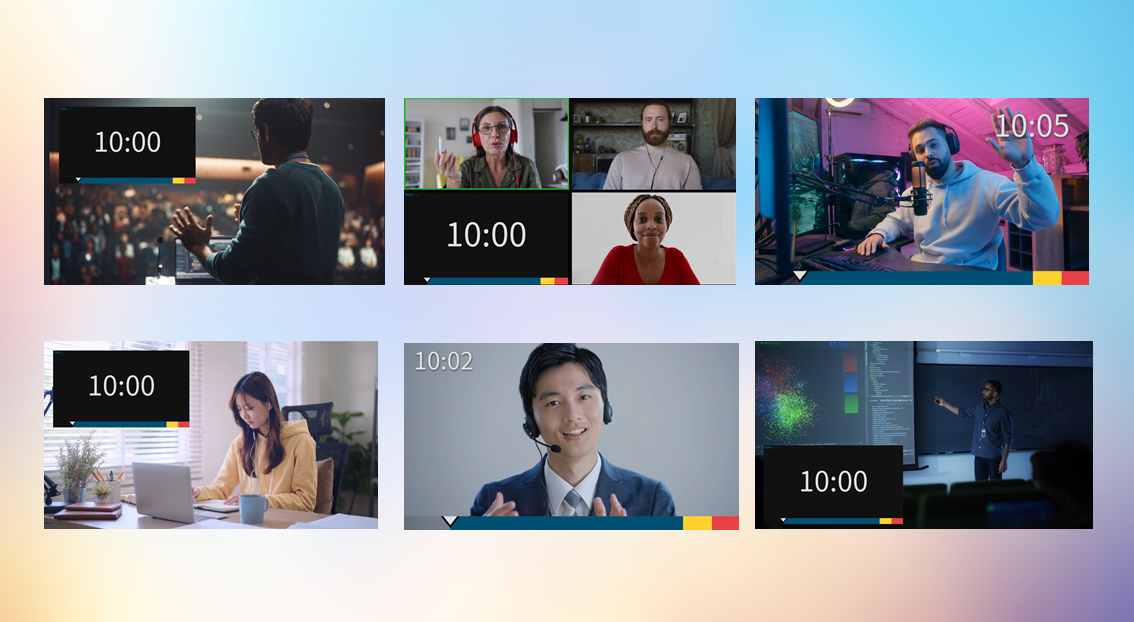
Additionally, integration with other tools allows timers to be displayed on screens during **webinars**, **live streams**, and **online classes**, helping to maintain participants' focus.

<figure><img src="/files/vF96QCAa0FXlYuvdtdNW" alt=""><figcaption></figcaption></figure>

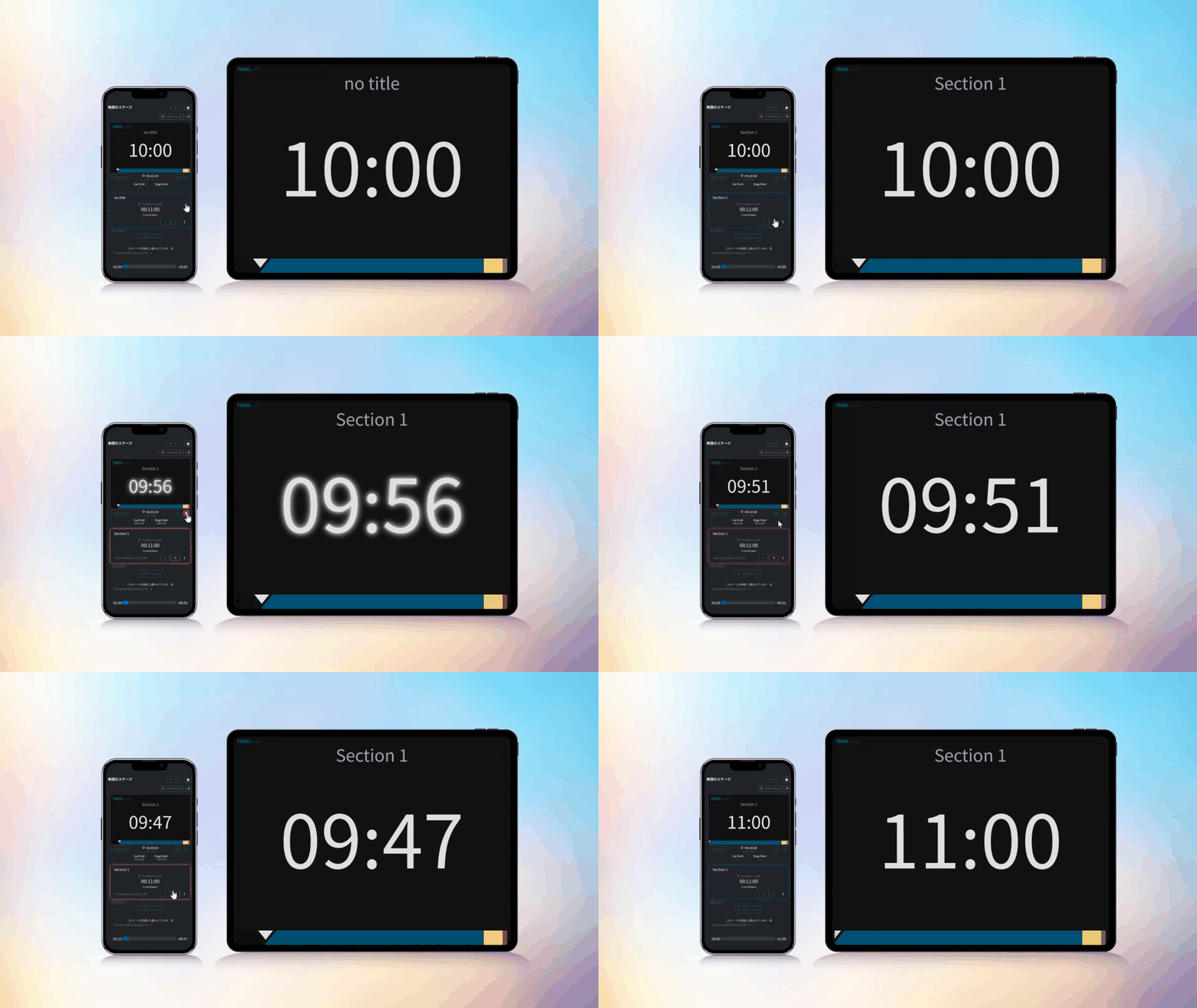
Created timers can **be easily shared via a link or QR code**. You can share the timer with participants or delegate control to other members or devices, allowing for physical separation between the display device and the control device. **The operation of the shared timer is fully synchronized**, allowing you to collaborate with other devices or remote members seamlessly.

<figure><img src="/files/OWxGOVt8roDyLznNCwad" alt=""><figcaption><p>Share the timer with other devices.</p></figcaption></figure>

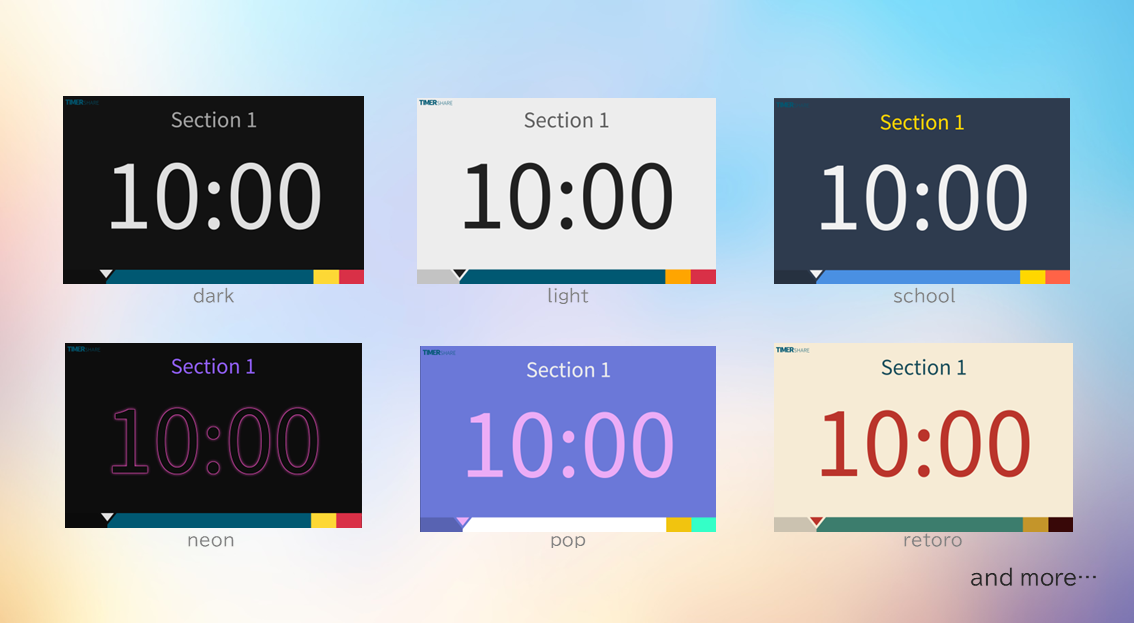
The timer's design can **be customized individually**. You can adjust the visuals to match your use case or preference, whether it's a simple timer or a more colorful design.

<figure><img src="/files/VkETmoJzEivJnUzYw9zK" alt=""><figcaption></figcaption></figure>

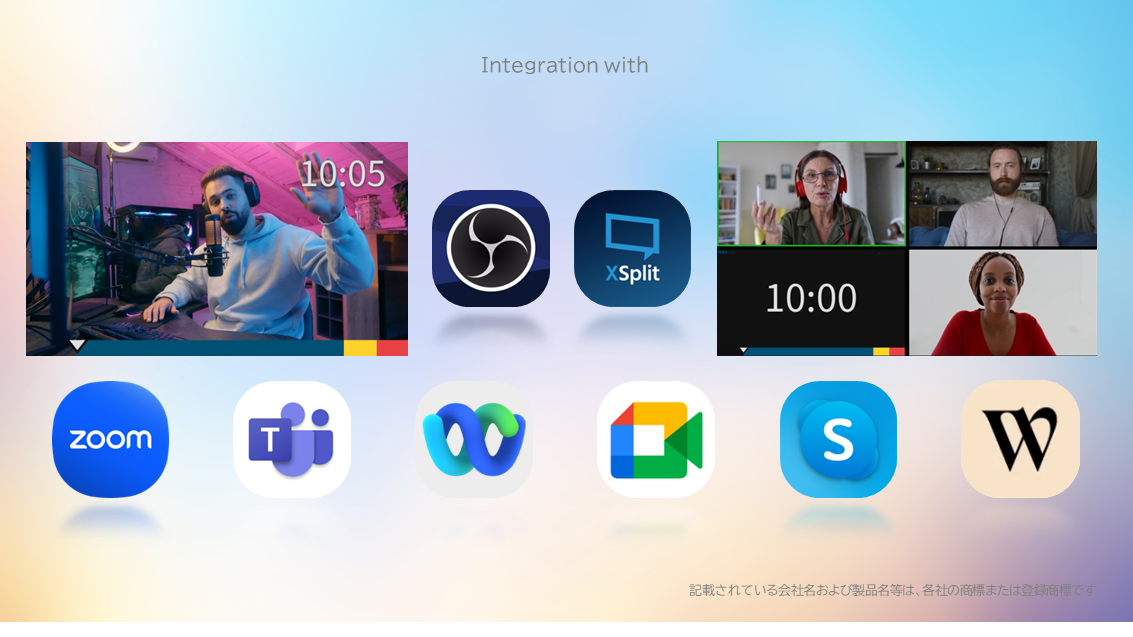
Furthermore, integration with **live streaming tools** like OBS Studio allows for compatibility **with major online meeting tools** such as Zoom and Microsoft Teams, enabling **direct display of timers or progress bars on the screen**.

<figure><img src="/files/zidBjSayqsmUcoIxXgjN" alt=""><figcaption></figcaption></figure>

***

## Quick Start

<table data-view="cards"><thead><tr><th></th><th></th><th data-hidden data-card-cover data-type="files"></th><th data-hidden></th><th data-hidden data-card-target data-type="content-ref"></th></tr></thead><tbody><tr><td><strong>Create a Timer</strong></td><td>Let's create your first timer!</td><td></td><td></td><td><a href="/pages/CyH2xJQs9yWJ1S8BYNav">/pages/CyH2xJQs9yWJ1S8BYNav</a></td></tr><tr><td><strong>Customize</strong></td><td>Try customizing the timer, including layout and chime settings.</td><td></td><td></td><td><a href="/pages/4mHJQQkfUSikMMQSmcW7">/pages/4mHJQQkfUSikMMQSmcW7</a></td></tr><tr><td><strong>Share the Timer</strong></td><td>Use the share link to share the timer with members or presenters.</td><td></td><td></td><td><a href="/pages/WOO59WNopM1AgkfJI99D">/pages/WOO59WNopM1AgkfJI99D</a></td></tr><tr><td><strong>Other Settings and Operations</strong></td><td>Explore settings and operations tailored to specific use cases.</td><td></td><td></td><td><a href="/pages/hvgyqpb7kO3PKWm7ogFD">/pages/hvgyqpb7kO3PKWm7ogFD</a></td></tr></tbody></table>

***

## Use Cases

Here are some use cases where TIMERshare can be effectively utilized.

<table data-view="cards"><thead><tr><th></th><th></th><th data-hidden data-card-target data-type="content-ref"></th></tr></thead><tbody><tr><td><strong>Self-Tasks</strong></td><td>From work and study to cleaning.</td><td><a href="/pages/WIUgsXRui8VD0GkMDFwT">/pages/WIUgsXRui8VD0GkMDFwT</a></td></tr><tr><td><strong>Meetings</strong></td><td>Stay on schedule for both in-person and online meetings, even without a timekeeper.</td><td><a href="/pages/qMX75YOaFclw8UWsLxl2">/pages/qMX75YOaFclw8UWsLxl2</a></td></tr><tr><td><strong>Presentations</strong></td><td>Allows presenters to focus on their speech and deliver effective messages within the allotted time.</td><td><a href="/pages/mKZqmMUhGokLvmEbJeQx">/pages/mKZqmMUhGokLvmEbJeQx</a></td></tr><tr><td><strong>Events</strong></td><td>Set up timers to manage multiple stages and sections without cables.</td><td><a href="/pages/vvEWtLjOBG7u7JmmCjxd">/pages/vvEWtLjOBG7u7JmmCjxd</a></td></tr><tr><td><strong>Live Streams</strong></td><td>Maintain seamless management from start to end of the broadcast.</td><td><a href="/pages/UDYaU5pRAaO32G0e5o7J">/pages/UDYaU5pRAaO32G0e5o7J</a></td></tr><tr><td><strong>Webinars</strong></td><td>Serve as a common timer for both hosts and participants.</td><td><a href="/pages/Oe8qeDSWci4UnIlkrCHY">/pages/Oe8qeDSWci4UnIlkrCHY</a></td></tr><tr><td><strong>Academic Presentations</strong></td><td>A timer at hand is essential for strict time management in academic presentations.</td><td><a href="/pages/3xRkefv3JOOVx5WHAk4s">/pages/3xRkefv3JOOVx5WHAk4s</a></td></tr><tr><td><strong>Online Classes</strong></td><td>Ensure smooth progress of school or prep classes, maintaining student focus.</td><td><a href="/pages/MBulqOUQSMI5BiNuwf8w">/pages/MBulqOUQSMI5BiNuwf8w</a></td></tr><tr><td><strong>Pair/Mob Programming</strong></td><td>You can fully delegate the time management for collaboration.</td><td><a href="/pages/kTAAXS74kDFEi4cHFEtx">/pages/kTAAXS74kDFEi4cHFEtx</a></td></tr></tbody></table>

***

## Integration with Other Tools

Expand usage scenarios by integrating TIMERshare with other tools.

<table data-view="cards"><thead><tr><th></th><th></th><th data-hidden data-card-target data-type="content-ref"></th></tr></thead><tbody><tr><td><strong>Live Streaming Tools</strong></td><td>Integrate with OBS Studio, Xsplit, and more.</td><td><a href="/pages/7MIs8rtTRIHjJE6GNrAD">/pages/7MIs8rtTRIHjJE6GNrAD</a></td></tr><tr><td><strong>Online Meeting Tools</strong></td><td>Compatible with major online meeting tools like Zoom and Teams.</td><td><a href="/pages/axs2SLJG5BLXBKyzGTFu">/pages/axs2SLJG5BLXBKyzGTFu</a></td></tr></tbody></table>


---

# Agent Instructions: Querying This Documentation

If you need additional information that is not directly available in this page, you can query the documentation dynamically by asking a question.

Perform an HTTP GET request on the current page URL with the `ask` query parameter:

```
GET https://docs.timer-share.com/en/launch.md?ask=<question>
```

The question should be specific, self-contained, and written in natural language.
The response will contain a direct answer to the question and relevant excerpts and sources from the documentation.

Use this mechanism when the answer is not explicitly present in the current page, you need clarification or additional context, or you want to retrieve related documentation sections.